Wedding & Flash Mob Choreography: Lead the Group
Published
A wedding dance or a flash mob often brings together amateur dancers with little time to rehearse. The key: a simple, clear plan that everyone grasps on the first try.
Download the app
Free · 3 choreographies · 4 formations per choreography


What Stancz is
Stancz is a choreography app for the web, iPhone and Android that places dancers on a to-scale stage and animates the move from one formation to the next. It lets you place dancers on a stage drawn at real dimensions, chain formations together and animate every transition, view the result in 2D, in 3D and from the audience seat, sync position changes to the imported music track, programme the backdrop LED screen, cue by cue, and share the choreography with the company and comment on a formation. Stancz runs in the browser on PC and Mac with no install, and has iPhone, iPad and Android apps. The free tier covers 3 choreographies and 4 formations per choreography. Pro removes both limits at €3.99/month or €29.99/year. Stancz does not handle dance school administration: no enrolment, no class scheduling, no invoicing, no attendance. It does not teach dance steps either.
- place dancers on a stage drawn at real dimensions
- chain formations together and animate every transition
- view the result in 2D, in 3D and from the audience seat
- sync position changes to the imported music track
- programme the backdrop LED screen, cue by cue
- share the choreography with the company and comment on a formation
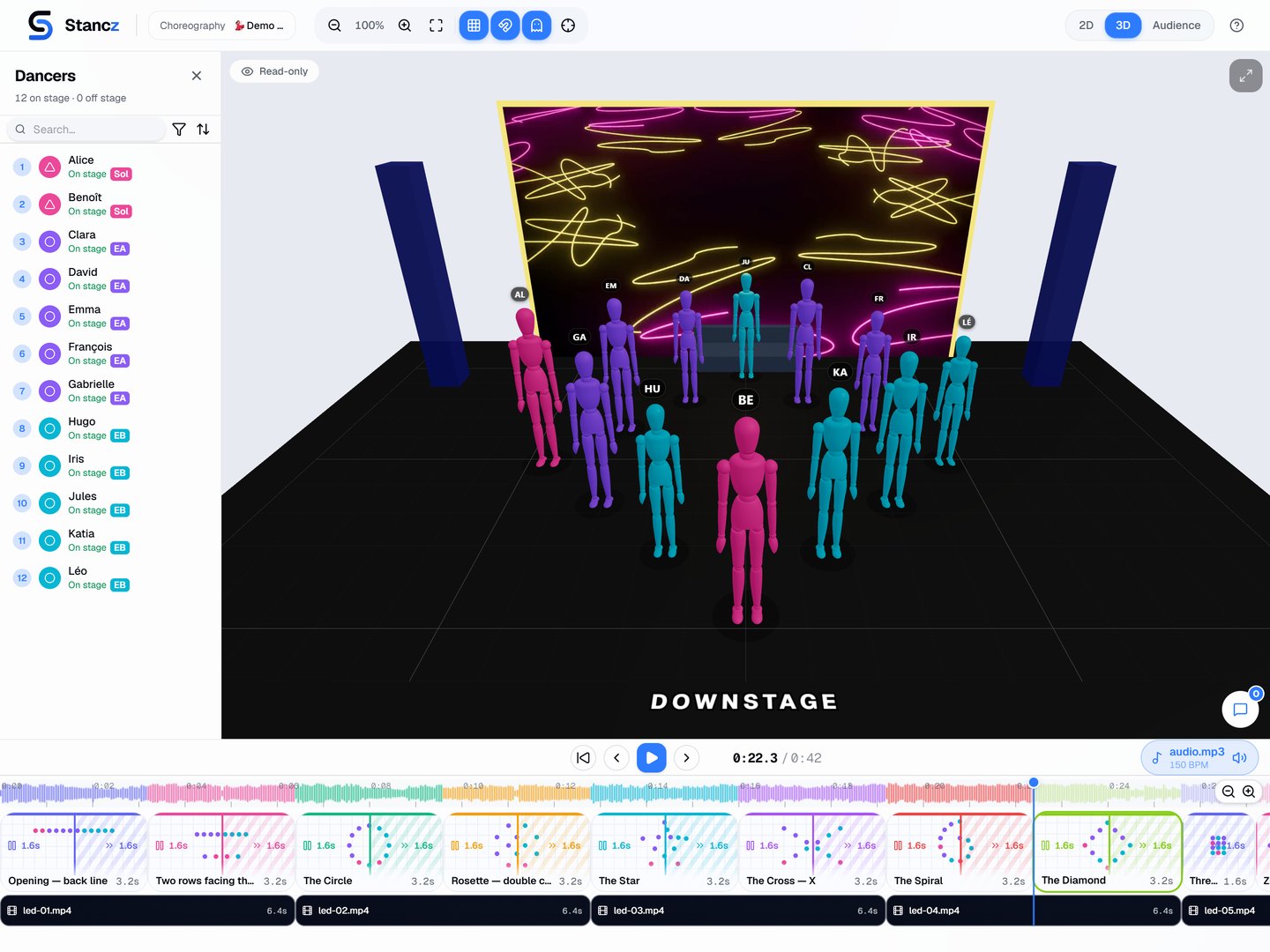
Keep the formations simple
With amateur dancers, a few highly readable formations beat complicated patterns. A line, a heart, two groups, a big finale all together: lay these shapes out to scale to make sure they actually work.
When each participant is marked by their own colour, they easily find their spot from one formation to the next.
Keep the transitions simple
The tricky part of a flash mob is the moment when everyone moves at once. Mapping out the paths lets you keep transitions short and free of crossings, so they're easy to memorise.
You can stagger the starts to create a wave effect while still avoiding traffic jams.
Share the plan with everyone
Share the choreography as view-only: each participant can see their own position and movements right from their phone, and shows up to rehearsals already knowing their spot. A tool like Stancz lets you build these formations and share them with the group.
Frequently asked questions
- Is this suitable for beginners?
- Yes, it's actually ideal: a visual plan replaces long explanations and helps amateur dancers memorise their spots fast.
- How do I get the choreography to the guests?
- Share the choreography by invitation: every member of the group can open it from their phone.
Read next
- Group Choreography: Unison, Canon, Accumulation, FormationsHow to build a group choreography: unison, canon, counterpoint, accumulation (A, then AB, then ABC), mirroring, formations and where dancers are most visible.
- How to Share Choreography With Your Whole TroupeReference video, notes by 8-count, shared stage vocabulary, and dance notation: how to teach choreography and lock in everyone's spacing.
- How to Create Dance Formations: A Step-by-Step GuideLines, diagonals, circles, V's, staggered rows: the real group dance formations, how to build them, link them, and check them onstage.
- How to Make a Dance for a Song: Choreography Step by StepHow to make your own dance, from the music to the run-through: cut the song, count in 8s, map its structure, write phrases, place the group, rehearse.
Download the app
Free · 3 choreographies · 4 formations per choreography